THSC: Building a Local AI Infrastructure
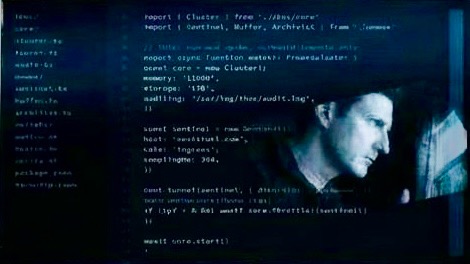
Acquired intelligence is both a gift and a liability. It is a gift because it can improve reasoning, cognition, and synthesis. It is a liability because every intrusive request that reaches us competes with the things we still find fundamentally important.  Our personal bandwidth is refined and shrunk.

I've used about 7 months of my personal bandwidth working on developing and deploying a useful, trainable data processing assistant.  Separating that trainable assistant into compute modules, then deploying them into separate but interconnected dependent segments of one cluster.  Leveraging the resources of each segment and protecting the security and privacy of the data processed and produced was my focus.  Making these resources available to the end user while keeping the data far away from the data brokers is my end game.  Maybe privacy won't always be such a quaint 20th century notion.

Warning, this is going to get kind of technical.

The Tiered Hub-and-Spoke Cluster — THSC — is the data architecture technology that inspired finding a solution for that overwhelming and distracting rush of pre-thought information in the information technology world. This post describes the topology, the capabilities, the enhancements required to make it work on FreeBSD, and the use cases it is designed to serve. Everything described here is either in place or in late beta. Nothing here is aspirational in the sense of "someday"; it is either running, or it is running under a beta flag and will be labeled as such.

The Core: Serendipity35.ai

At the center sits the Core: a twenty-core Apple M1 with 128 GB of unified memory and four terabytes of internal storage, running as Serendipity35.ai. The Core does the expensive work. It holds the heavy language models, it maintains global state through an OpenClaw controller, it serves as the primary data lake for structured and processed output, and it keeps the centralized audit log that records what the cluster did and why.

The Core is deliberately not exposed. It does not accept inbound traffic from the open internet. It reaches out; nothing reaches in. This is the single most important design decision in the architecture, and every other choice follows from it.

The Spokes: Three Specialized Edge Nodes

Around the Core sit three edge nodes, each with a distinct responsibility. The separation is not cosmetic. Each node is sized and configured for the shape of its work, and none of them can do what the others do.

The Sentinel — nexttroll.com

The Sentinel is the network ingress point: a FreeBSD node at 209.23.9.165 with two virtual CPUs and four gigabytes of memory, deliberately placed so that it faces the public internet rather than the Core. Its work is external API and web polling, traffic ingestion, initial packet capture, and the first pass of noise filtering. It is the node that gets hammered, and that is precisely the point: when something hostile arrives, it arrives here, where the cost of absorbing it is low.

The Buffer — cloudlocal.us

The Buffer handles transformation and sanitization: data cleaning, regex and JSON schema validation, protocol conversion from raw to structured form, and intermediate backpressure management. This is the node that turns messy input into something the Core can use, and it is where malformed data is stopped rather than forwarded.

The Archivist — beachpatt.com

The Archivist provides persistence and cache: task queue management, transient log aggregation, and a local cache for high-frequency data. It also carries the cluster's mail services, which in this architecture is not an afterthought — the Archivist is where durable artifacts live.

The Pressure-Relief Pipeline

The cluster maintains stability under load through a reactive backpressure algorithm built on a Resource Pressure Index. Each node computes its own RPI as a weighted sum of CPU load, memory utilization, and I/O wait. When the Core's RPI crosses 80 percent, the controller broadcasts a throttle signal. The Sentinel and the Buffer respond by increasing sampling intervals and reducing packet frequency, which lowers I/O pressure on the Core without dropping the work entirely.

A second control loop handles storage. When the Archivist's occupancy exceeds 95 percent, an rsync routine offloads aged data to the Core's four-terabyte pool. The Archivist does not have to be large; it has to be reliable, and the evacuation path has to exist before it is needed.

Private Tunnels and the Inversion of Direction

The most consequential engineering decision in the cluster is that all connectivity from the Core outward runs over private SSH tunnels. External nodes cannot dial in to a private LAN address, so the Core initiates. Nothing on the wire advertises the Core's location, and no port forwarding rule exists to expose it.

This inverts the convention most small clusters adopt. The usual pattern is to give each node a public address and firewall it as best you can. The THSC pattern gives no node a route to the Core at all, and makes the Core the only party that can start a conversation. The tunnel set is maintained by a single script, which opens forward tunnels from Core to each node's own loopback gateway, writes pidfiles, and can report status or tear everything down. It supports a dry-run mode that prints every command without changing anything, which is how it was validated before it was trusted.

The FreeBSD Tax

FreeBSD is a superb server operating system, and it is not the platform most AI tooling is tested against. Making this cluster work required a series of adjustments past the official release, and they are worth documenting because they are the difference between a design on paper and a system that runs.

The first is memory. On this platform, setting a V8 heap ceiling through the environment is not a tuning parameter; it is an instability trigger. Any explicit heap size, whether generous or modest, produced runaway kernel time in virtual memory faults rather than useful work. The working configuration is the absence of the setting. This is now documented in place, with the measurements, so that it is not rediscovered by accident.

The second is process management. The service wrapper can report a successful stop while the real gateway process survives, because the pidfile points at a wrapper rather than the daemon. Every stop is therefore followed by an independent check for the actual process. This is a small discipline that prevents a class of confusing failures.

The third is packet filter ordering. The cluster uses a persistent table of banned addresses, populated by an intrusion-prevention daemon. The table was correctly populated and correctly declared, but the rule that consulted it sat below the rules that permitted SSH and mail. Because packet filter stops at the first match, the bans were recorded and never enforced. Moving the block rules above the service rules made the table effective. The lesson is not about packet filter specifically; it is that in a first-match ruleset, the position of a rule is part of its meaning.

The fourth is certificate custody. A reverse proxy and a certificate client both wanted to own the same certificate material, and for a period neither did. The resolution was to let the proxy request, store, deploy, and renew its own certificates, and to retire the external client to manual use. Two systems that both believe they own a credential produce a seam, and the seam fails quietly.

The Capabilities of the Serendipity35.ai Scripts — Beta

The Serendipity35.ai side of the cluster is a set of scripts that handle orchestration, deployment, monitoring, and verification. These are functional and in daily use, but they should be read as beta: the interfaces are stable enough to depend on, and they are still changing.

The deployment script provisions and verifies the edge nodes, distributing keys and applying the packet filter lockdown before any service is started. It keeps a dry-run mode that prints its intended actions without performing them, and every operation it takes is reversible.

The tunnel script maintains the private connectivity described above, with status reporting and a clean shutdown path.

The health probe script reports on each node in a single read-only pass: uptime, load, memory, swap, disk, gateway process state, listener bindings, certificate validity, and the enforcement state of the intrusion-prevention tables. It is the first thing run when something is suspected, and it is deliberately incapable of changing anything.

The verification scripts are the ones that made this article possible. They check that a gateway is running on the version it claims, that its certificate is the one actually being served rather than the one sitting on disk, that mail is accepted and delivered rather than merely queued, and that a firewall rule is not merely present but reachable. Several of the findings in this article came from a script that asked a system to demonstrate its own state rather than trusting a configuration file.

Because these are beta, the correct expectation is that they will change. The correct posture is to run the dry-run first, to read what the script intends to do, and to prefer the check that measures over the check that asserts.

Use Cases

The cluster is designed for workloads where the data matters and the compute is uneven.

Ingestion and synthesis. The Sentinel polls and captures; the Buffer cleans and structures; the Core reasons over the result; the Archivist keeps the record. This is the pattern for monitoring feeds, regulatory filings, or any source that publishes more than a person can read.

Private document analysis. Documents arrive at the Archivist, are sanitized at the Buffer, and are analyzed at the Core, with no third-party inference provider in the path. For material that cannot leave the premises, this is not a preference; it is the requirement.

Long-running research tasks. The pressure-relief pipeline exists so that a large synthesis job on the Core does not starve the ingestion path. The cluster can keep collecting while the Core is busy, because the collecting is not being done by the Core.

Mail and notification services. The Archivist carries mail delivery and the associated authentication, which makes the cluster able to notify, report, and receive instructions without depending on an external service.

What This Is Not

The cluster is not a cloud replacement. It does not offer the elasticity, the geographic distribution, or the managed services that a cloud provider does. It offers ownership, legibility, and a predictable cost structure: your hardware, your models, your logs as plain files on a disk you can inspect.

It is also not finished. The tunnel orchestration has phases that remain to be implemented, the beta scripts will change, and the architecture will keep acquiring the scars that come from running rather than from planning. That is the point of writing this down now, while the reasoning is still visible.

Conclusion

If "free" AI makes you the product, then running your own AI asks a different question: what does it make you? The THSC cluster is one answer. It is a small, privately held piece of infrastructure in which the compute is yours, the data stays where you put it, the logs are files, and the failures are ones you can read and fix. It is not grand. It is legible, and that turns out to be worth more.


 

Prompt Engineering

Prompt engineering is the practice of designing and refining the input — the "prompt" — you give to an AI system to get the output you want. An AI model,  like a large language model or image generator, can't read your mind or do subtle interprations of language. It predicts what should come next based on the words, structure, and context you give it. Prompt engineering is learning how to shape that context deliberately.

I have a friend who teaches prompt engineering. He is in an university engineering school, but he says that in practice, it's less "engineering" in the formal engineering sense, and more applied communication. It is about figuring out how to be explicit enough that the model doesn't have to guess, without burying it in so much text that it loses the point. It is also less of a full course and more likely a component of a course.

MIT's OpenCourseWare / MIT Sloan offers short courses like "Prompt Engineering and Advanced ChatGPT" in their professional programs. Vanderbilt on Coursera is a good starting place because it's free to audit, self-paced, and built by a university. Here in New Jersey, my alma mater Rutgers, former employers NJIT and Montclair State University, and Stevens Institute list prompt engineering workshops or modules inside Computer Science, Business Analytics, and Continuing Education/workforce development programs. These might be a 1-2 day non-credit certificate, or a unit in "Applied Generative AI."

Looking at a few of these courses, you find some commonalities in what needs to be learned.

Create the prompt's instructions - what you actually want done. Vague prompts get vague results. "Write about terms of service" is vague and weak. One more specific prompt might be "define browsewrap agreements in 150 words for a non-lawyer, compare them to clickwrap, and give examples of why courts find them unenforceable."  I used that prompt in writing my earlier post on terms of service.

A good prompt includes context and constraints by giving a role, audience, format, and rules to follow.
Role: "You are a tech journalist..."     Audience: "...explain it to a college freshman"    Format: "use a table with 3 columns"    Constraints: "no legal advice, keep it under 200 words"

Some methods people use to get more reliable reasoning:
Zero-shot vs. few-shot: Show 0 examples vs. show 2-3 examples of input/output
Chain-of-thought: "Think step by step" to make it show its reasoning
System vs. user prompts: System = persistent rules, User = the specific task
Iteration: Test, see failure, add a clarification, test again

I compare much of this to when I was teaching younger K-12 students in the late 20th century about doing Internet searches. The Internet started in higher education, then took about two decades to get to K-12 in a meaningful way. In higher ed, there were significant inroads in the early 1990s with the Web and browsers, although some select schools were using it in limited ways starting in 1969. For K-12, it happened around 1996-2000, driven by the E-Rate, making the late 1990s/early 2000s when the Internet went from a lab curiosity to a daily classroom tool.

My students were using it for research papers and needed to be taught about the same kind of specificity. Assigned to write about why women were not allowed on stage in Shakespeare's time, they might type "women in Shakespeare" and get hundreds of hits about female characters in the plays. In the late 1990s, search engines were not sophisticated enough to handle a query such as "why were women not allowed to act on stage in Shakespeare's time and how did acting companies adapt to this?" Today, it can use that query/prompt. And that is something that frustrates many teachers and delights their students.

students using prompts

Is The World Still Flat or Even Flatter?

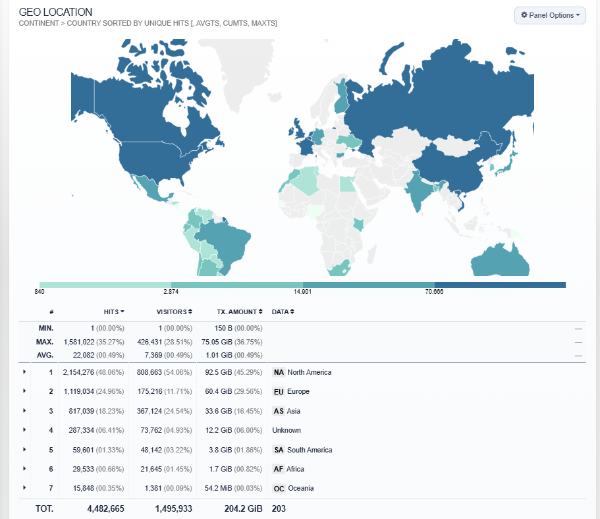
I was looking at the analytics for this blog, which includes the countries that have visited its pages. It is quite global. That got me thinking back to a book that made a big splash in 2005.


Thomas Friedman's The World Is Flat: A Brief History of the Twenty-First Century was published in 2005. It was updated as 2.0 in 2006 and 3.0 in 2007.

What he said originally was that the world is becoming "flat." The competitive playing field between developed and emerging economies has been leveled, so individuals and small companies can compete globally like never before. He called this Globalization 3.0.

Globalization 1.0 (1492-1800) was driven by countries. Globalization 2.0 (1800-2000) was driven by multinationals. The 3.0 version was driven more by individuals empowered by technology. A trip to Bangalore made him realize work could be done anywhere.

He desribed 10 "flatteners" that made it possible.

  1. November 1989 Berlin Wall falls, plus Windows and the end of Cold War, while PCs are creating more and more content
  2. August 1995 Netscape IPO — the web for everyone
  3. Workflow software — SMTP, HTML, standards letting machines talk to machines
  4. Uploading — open source, Wikipedia, blogs combined are the "most disruptive force of all"
  5. Outsourcing — splitting work to the cheapest, most efficient place
  6. Offshoring — moving factories to China after WTO entry 
  7. Supply-chaining — Wal-Mart style global logistics 
  8. Insourcing — e.g. UPS repairing Toshiba computers 
  9. Informing — Google, search — anyone can find anything 
  10. The Steroids — wireless, VoIP, file-sharing making it all mobile, digital, personal

book cover
How has he revised it since?

Friedman himself did two early revisions — the 2006 edition was explicitly to answer critics and readers, especially about education. Since then, in interviews, columns, and his 2016 book Thank You for Being Late, he has shifted in four ways.

From flat to fast, fused, deep, open, he now says the world is not just flat; it is also fast, fused, deep, and open due to accelerating technology. Later: fast, fused, deep, and fragile — acceleration in technology, globalization, climate, and debt is exponential.

He admits he underestimated the downside. The original was a techno-optimist. Critics like Pankaj Ghemawat showed 90% of traffic was still local, Joseph Stiglitz said the world was getting less flat for many, and geographers called it "spiky." Friedman now talks much more about inequality, the hollowing out of middle-class jobs from outsourcing/offshoring, and political backlash (Brexit, Trump, anti-globalization populism). He said after 2008: "The world is even flatter than I thought. Our mortgage crisis is killing Deutsche Bank."techno-optimistic

The safety net argument got stronger. Originally it was learn new skills. Now it is tat society needs lifelong learning, portable health/retirement benefits, community anchors, and government help for transitions. (This is the core argument of Thank You for Being Late)

His Dell Theory of Conflict Prevention (AKA simply the Dell Theory) is an updated version of his previous "Golden Arches Theory of Conflict Prevention". According to Friedman, Dell Theory stipulates: No two countries that are both part of a major global supply chain, like Dell's, will ever fight a war against each other as long as they are both part of the same global supply chain. He has since acknowledged that supply-chain interdependence didn't prevent Russia's war on Ukraine, US-China decoupling, or COVID supply-chain collapse. Interdependence raises the cost of war but doesn't prevent it. The lesson became resilience, not just efficiency — you need "just in case" as well as "just in time."

So what does this have to do with this blog?

Well, the flattener of "uploading" (open source, Wikipedia, blogs combined) is still disruptive. If I were writing these posts on some 1980s print media platform, the audience would never have the reach it has here. Actually, I would likely never have been allowed to write in those places. 

If Friedman decides to do a version 4.0 revision, he certainly would need to include artificial intelligence, which affects all of his original flatteners in some way. 

Terms of Service

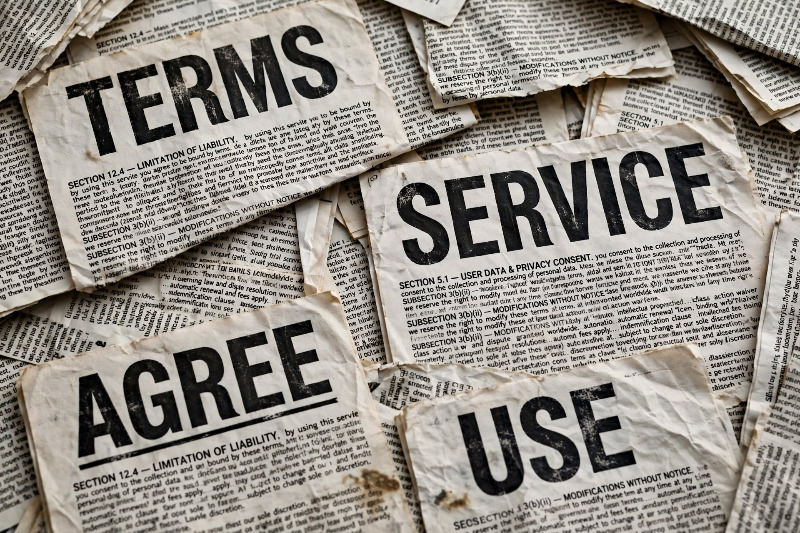
terms illustrationRecently, I received notice from the music service Spotify that "We are updating our Terms of Use to make some updates to the dispute resolution provisions, including the Arbitration Agreement. You can read them  here." It is dense, and like many users, I gave it a cursory read-through and agreed. That is not the smartest thing to do, but I am hardly alone in doing it. In fact, some companies rely on that attitude. When users have been surveyed about their issues with terms of use/service, the same themes seem to always appear.

1. Most ToS run thousands of words in dense legal language. You wonder if that is not deliberate so that you DON'T review them but just quickly agree. One study found average users could answer only 40% of questions about an agreement they had just studied, and about 70% of people don't read them at all because they assume it's boilerplate. This is known as clickwrap, because you must take an affirmative action — click "I agree," check a box, or click "Accept" before you can proceed. Courts like this because there's clear proof you saw the terms

2. Why would you just agree to terms you haven't read? Because you can't negotiate. If you want to use the app, website, or device, you have to click "I agree." With "browsewrap agreements," you may be bound just by continuing to use a site, without ever seeing the terms. A browserwrap (AKA browsewrap) agreement is the most passive kind of online contract. It's the link you see at the very bottom of a website that says "Terms of Use" or "Privacy Policy." The site is claiming something like, "By just using this website — browsing, scrolling, downloading — you agree to our terms, even if you never clicked anything or read them." No "I Agree" button, no checkbox, no pop-up. Consent is implied by continued use.Courts often don't like them. (see note at bottom)

3. One-sided rights where the terms protect the company, not users. That might include language such as this:
Company can change the service, remove features, or delete your content/account at any time.
Purchases (especially digital goods, games, virtual items) are non-refundable and can be altered.
Company keeps broad license to use what you post

4. Some data and privacy items are hidden in the language. You click agree and later learn you consented to data collection, data sharing with third parties, tracking, targeted ads, and AI training on their content. The concern is trading away information and legal rights in a binding contract without realizing it.

5. Further, there may be legal rights you give up without noticing. Some common clauses:
mandatory arbitration and waiver of class-action rights
limits on liability if the service harms you or loses data
choice of law/venue far from where you live

6. Term can also change quietly and some companies reserve the right to update the terms at any time. Users aren't always notified clearly, so the rules you agreed to last year aren't the rules today.

7. Because the language is often deliberately vague, users aren't sure what will get them banned, demonetized, or suspended, or how appeals work. That leads to the feeling that enforcement is arbitrary.

Courts often don't like browsewrap 
because users generally don't know they're in a contract. A website is purporting to bind you by passive conduct unrelated to the terms themselves, like continuing to use the site. For that reason, U.S. courts have generally enforced browsewrap agreements only in limited cases — for example, against knowledgeable businesses — not against everyday individuals who had no reason to know the terms existed. To be enforceable at all, courts now look for two things: 1)  Conspicuous notice — Is the link to the terms placed where a reasonable person would see it, not hidden at the bottom in small light-gray text?  2) Actual or constructive knowledge — Did the user have reason to know the terms applied? This may also apply to what is known as the hybrid "Sign-in-wrap" that might read "By signing up, you agree to our Terms" next to the sign-up button.